Website help

If you are having issues with accessing the website or WildApricot, please check the FAQs below.

If this doesn’t resolve your issue, please send an email to: servicedesk@tlccv.com.au

FAQs

Click on the Login button at the top right of the screen.

On the Login page, you will find a Forgot password link.

Trip Leaders can login to WildApricot Members area to manage their events by going directly to https://tlccvmembership.wildapricot.org/

Detailed instructions are available for Trip Leaders to help with using WildApricot.

Please email trips@tlccv.com.au to get the latest version of the documentation.

Yes and no.

As detailed on the Member database page, WildApricot is the website application that is used to manage our membership, create events, etc.

It is technically a separate website to the TLCCV site, but is intertwined to provide secure access to member only content on the main website.

Think of WildApricot as the Members area “backend” to the main website.

One of the goals of the new website was to provide better integration between the two sites, so you don’t need to jump between both to view events, acccess documents, etc.

This has been achieved though pages like Upcoming trips where you can view WildApricot content embedded in the main website.

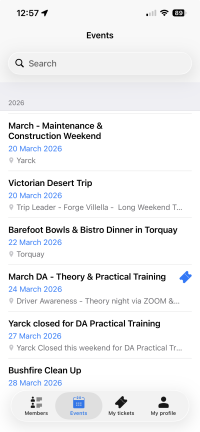
If you prefer, you can still view WildApicot directly by going to the Members area, or via a mobile app.

See the Member database page, for more details.

Email servicedesk@tlccv.com.au with any updates to the website or WildApricot.

This email address is checked by the Technology Services team, and your request will be sent to the relevant web editor.

If you are using webmail to access you @tlccv.com.au email, please use the following site:

https://webmail.tlccv.com.au

Yes, you can setup a mail client (Outlook, iPhone/Android Mail, Thunderbird, etc) to access you @tlccv.com.au email.

Please email servicedesk@tlccv.com.au fo full instructions.

This is a known issue with WildApricot and a support request has been logged.

If you need to view your Event Registrations or cancel a registration, please go to the WildApricot backend by going to the Members area and clicking on your name at the top of the screen.

From there, you can view My Event Registrations, cancel a booking, etc.

This is a known issue with WildApricot and a support request has been logged.

This can happen after viewing a page with embedded WildApricot content (eg: Upcoming trips) and pressing the back button, you get taken back to the login screen.

The only workaround at the moment is to avoid using the browser back button and use the website menu for navigation instead, much like some banking websites require.

Alternatively, you can access the WildApricot backend directly by going to the Members area.

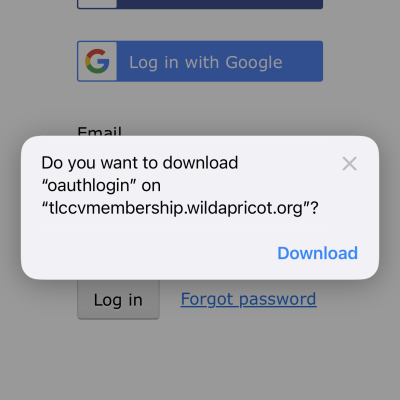
This is a known issue with WildApricot and a support request has been logged.

It was occurring on the old website, and continues to be an issue with the new site.

It only appears to happen on iOS devices (iPhones/iPads) using Safari browser.

Usually a combination of closing and reopening the tab, and/or browser will fix the issue.

Other users have reported a successful workaround by pressing the onscreen keyboard ‘Enter’ (blue arrow) button instead of pressing the page’s ‘Log in’ button.

If you are experiencing this issue, please email servicedesk@tlccv.com.au so we can gather as much information as possible to present to WildApricot support.

IMG_1193